Scope Modeler
Change the scope, watch the date and budget move.
An estimating model I built for a program with a two million dollar budget and a date that wasn’t moving.
One HTML file, run live in scope meetings with the team in the room. It started as an internal tool. It’s for sale now.
Problem
The program had a two million dollar budget, a date that was not moving, and more scope than would fit. Every change made the existing estimate less believable.
My role
I built the estimation logic into a live model and used it with the team to test scope, sequencing, and staffing decisions.
Scope
A two million dollar program modeled across design, engineering, and QA. Feature-level estimates generated the cost and sprint plan as scope changed.
What changed
The team could see the effect of a decision immediately. The model exposed QA as the real delivery constraint early enough to plan around it.
What this demonstrates
I can make delivery assumptions visible enough for a team to challenge them before they become commitments.
The estimate that shows its working.
A two million dollar budget, a date that couldn’t move, and more scope than would fit between them. The job was getting as much of it in as possible, highest priority first.
Somebody builds a spreadsheet, scope shifts a week later, the spreadsheet doesn’t move, and the next meeting becomes an argument about a number nobody believes anymore.
This was never a launch. It was an internal tool for my team, built fast. We needed to break something complicated into parts and get a real answer about what would fit.
Parallel streams
Two engineers working at once is not half the timeline. Team size and sprint capacity set how fast a discipline burns down, and the work still has to move through design, build and test in order while running concurrently across features.
QA is where dates die
Testing doesn’t scale with headcount the way building does, and it sits at the end of the pipeline where there’s no room left to absorb anything. Model it loosely and everything looks fine until the last six weeks, when it very much isn’t.
It has to survive a live meeting
I used it with the room watching while we toggled features in and out together. Every number has to move the instant something changes and stay internally consistent while it does. Lag, or one number that looks wrong, and you’ve lost the room and the argument.
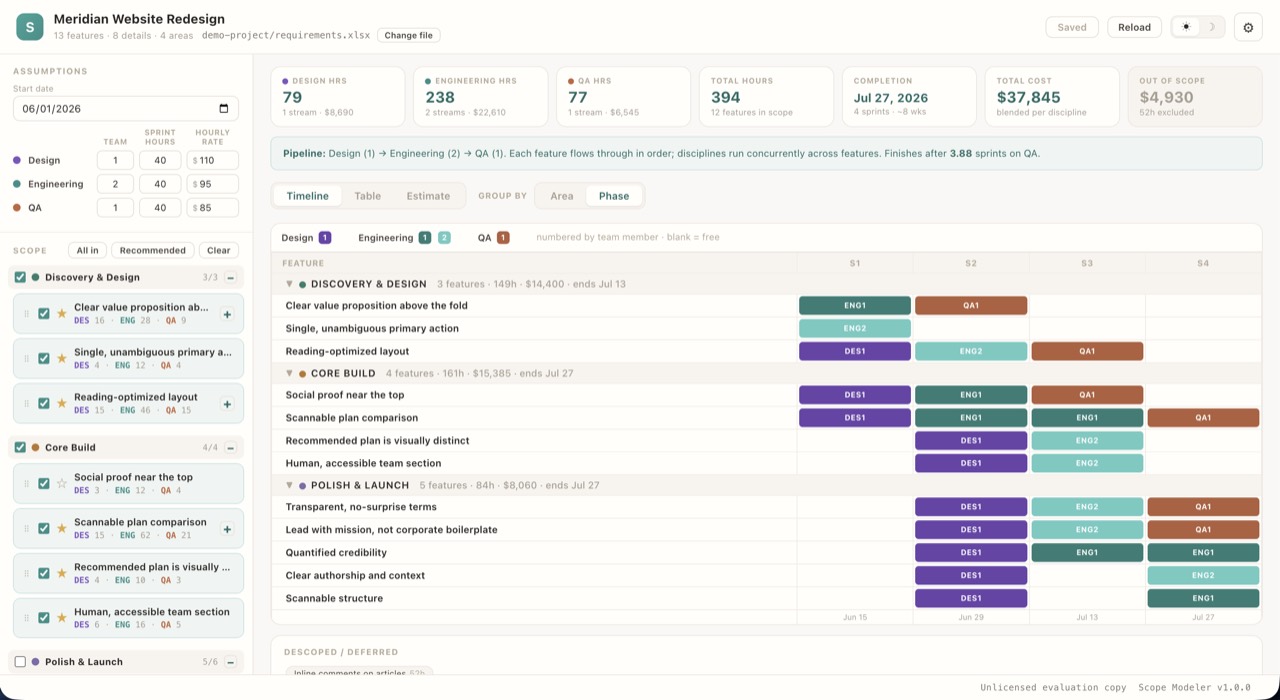
The tool names its own constraint in a sentence at the top of the screen.
Work moves through design, then engineering, then QA. Put one designer, two engineers and one tester against the scope and it’ll tell you the work finishes after 3.88 sprints with QA. Change the team or change the scope and that sentence rewrites itself.
Watching it sit with QA for multiple sprints after dev was done, through every scenario we modeled, is how we knew we’d need another QA resource months before stories started rolling into the next sprint untested.
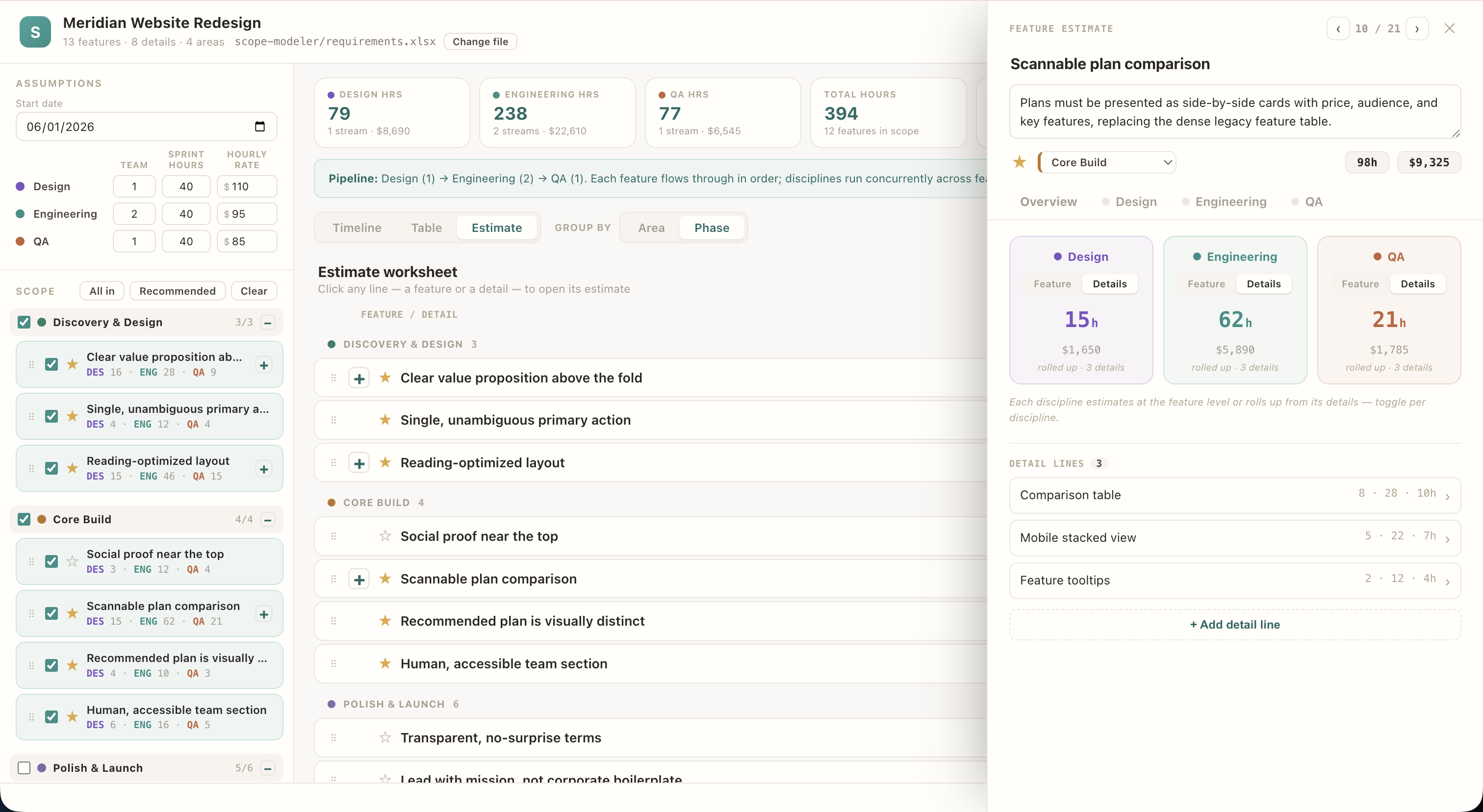
Estimating happens at the whole feature or at the details that roll up into it. Both can be cut or rearranged, most features have one thing that matters now plus a few that can wait.
Every line carries a dollar figure either way. When someone asked whether we could just add one more thing, I could answer with a number instead of a feeling.
Nothing gets deleted
Unchecking a feature drops it into a descoped list rather than deleting it. Nobody loses their feature, it’s parked, and it comes back with one click when somebody finds budget.
Order is the priority
Features drag to reorder and the scheduler works through them in whatever order they’re sitting in. Whatever sits at the top gets built first, so the argument about priority happens by moving rows.
Three views, one set of numbers
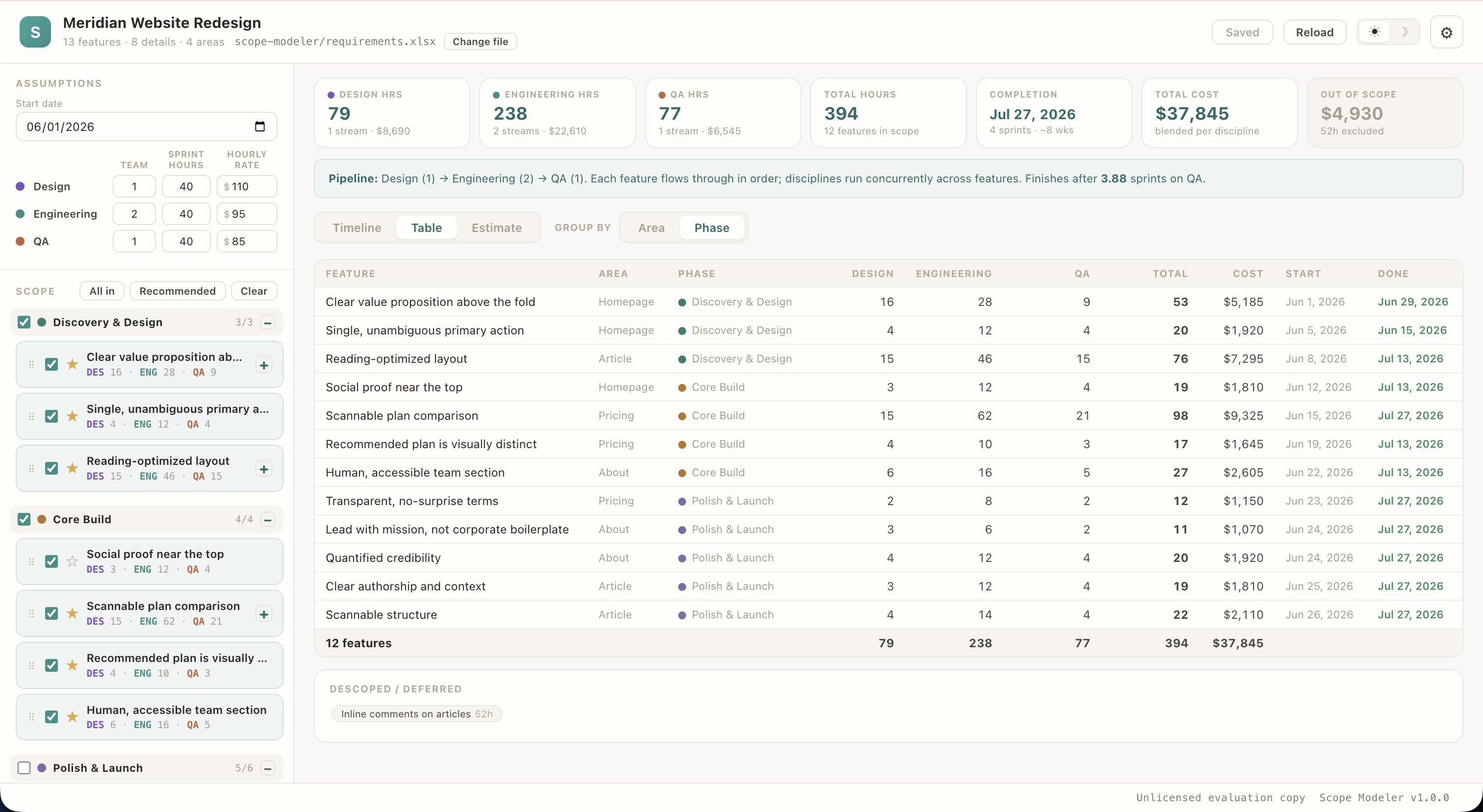
A sprint grid, an itemized table, and a worksheet for doing the sizing. Whoever needs a date reads the first, whoever needs the cost broken out reads the second, and nobody is squinting at somebody else’s view to find their own answer.
Highly regulated industry, and a company big enough that getting any new tool approved is a project of its own. Finding something that fit and getting it through would have cost weeks I didn’t have.
It’s an HTML file that runs in the browser and reads a spreadsheet, which everyone already worked in. Nothing to procure, nothing to put through security review, nothing new to learn, and the data never leaves the machine it’s opened on.
It reads the same requirements workbook as Capability Mapper, so a feature gets mapped once and sized once.
Inside the product
scroll →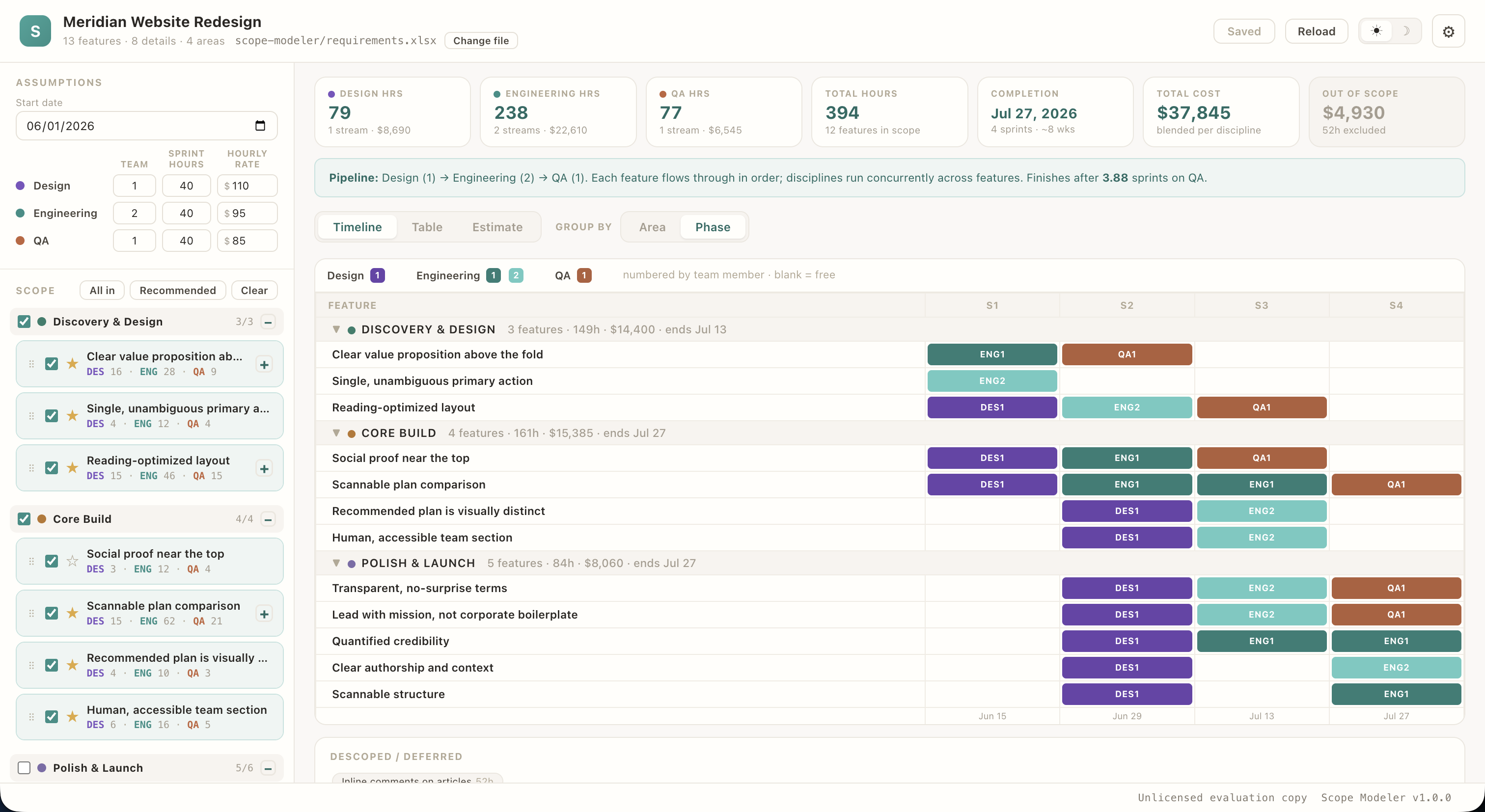
Built for program managers, project managers, product managers, or anyone trying to keep a project on time and on budget while delivering the right things. It started as an internal tool for one build. It’s for sale now.
Argue with the numbers, not a guess.
Need the tool? Buy it. Need the thinking behind it? Bring me into the work.