Product Capability Mapper
Map what you have before you decide what to build.
A requirements tool I built to get a room of stakeholders to agree on what a legacy platform actually did, before anyone tried to price the replacement.
One HTML file, filled in by the team and approved in the meeting. It started as an internal tool. It’s for sale now.
Problem
A legacy portal was being replaced, but nobody had a complete picture of what it did. Estimating the replacement before that picture existed would have meant pricing a guess.
My role
I built the tool, then ran the working sessions with the business and got the scope approved.
Scope
An enterprise portal replacement using one requirements workbook across two connected tools. The output supported stakeholder review, design work, and downstream estimation.
What changed
The team found missing requirements in context and kept every scope decision traceable. The approved capability set then became the basis for estimation.
What this demonstrates
I can turn an undocumented current state into a decision system the rest of the work can rely on.
Nobody could tell me everything the old one did.
We were replacing a legacy portal that had been running for years. Before anyone could estimate it or sequence it, we needed a written picture of what it did and what it would become. There wasn’t one.
The business requirements covered what people remembered to ask for, and they’d been working in the old portal so long that plenty of it never got written down.
I built the capability mapping tool, then used it to inventory the old portal for the team. I mapped each capability into the new experience, reviewed the gaps with stakeholders, and settled what was in and out. That finished list is what Scope Modeler estimated and put dates against.
It had to stay usable at volume
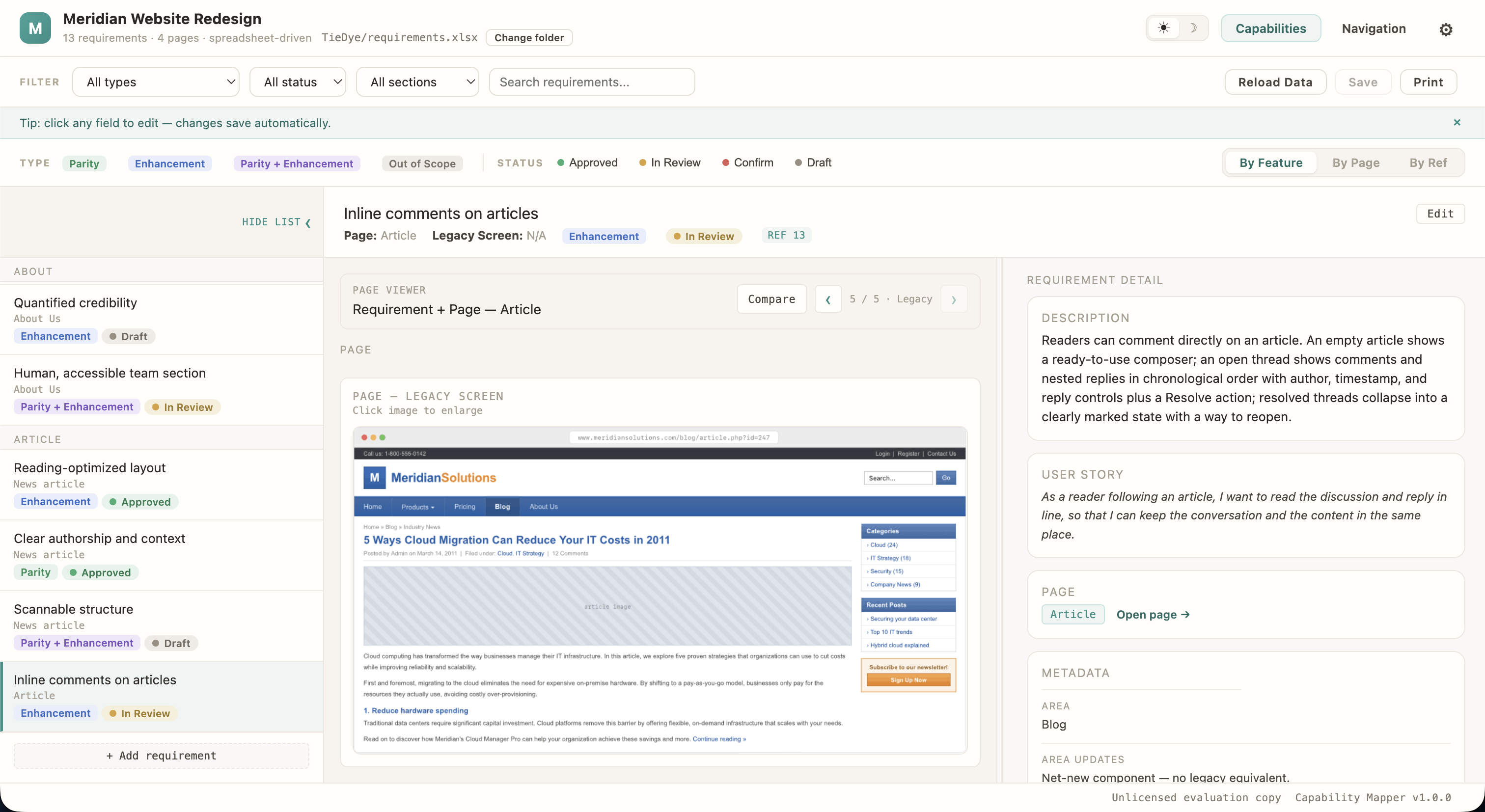
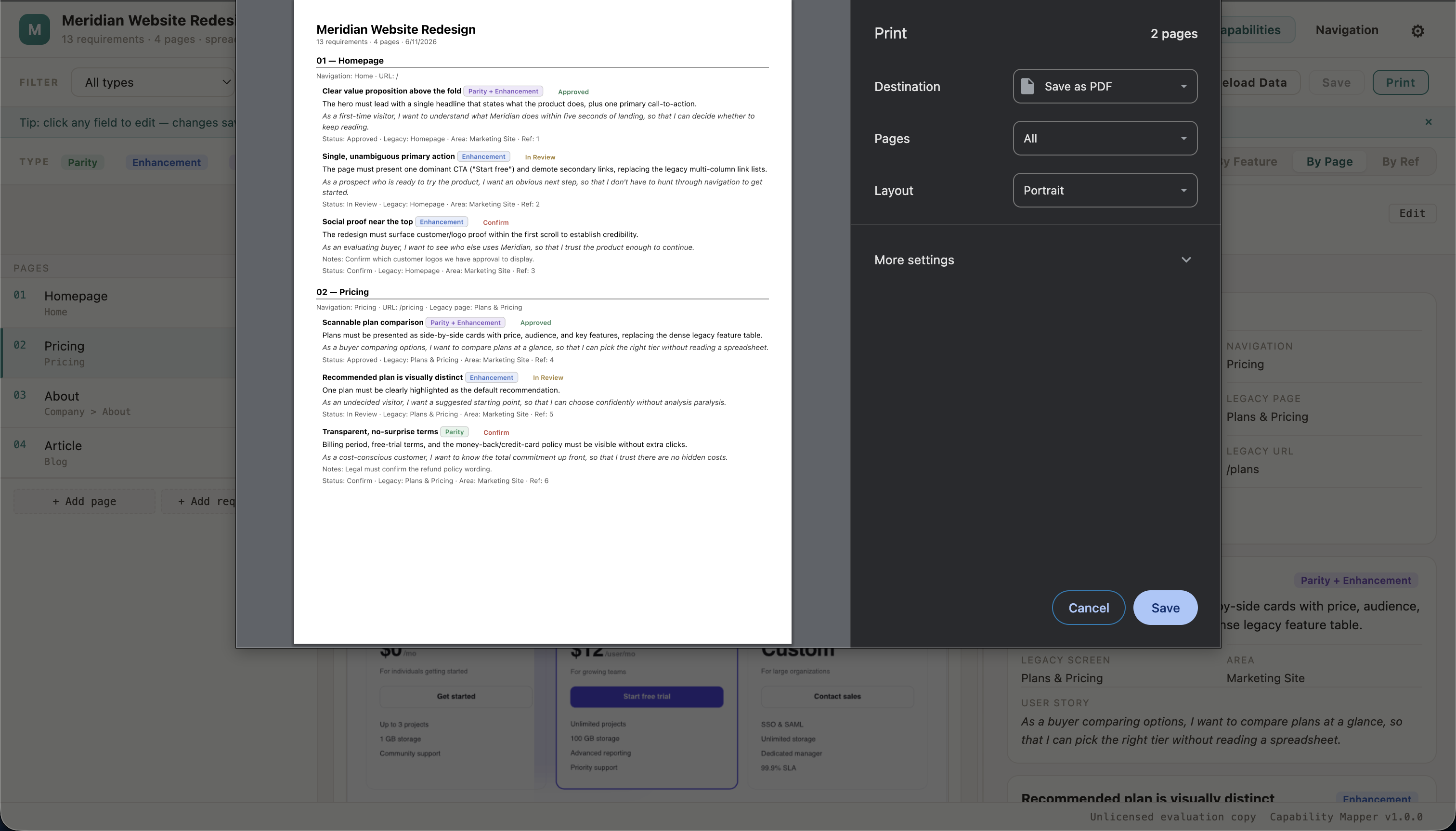
A file this size stops being useful the moment somebody can’t find their part of it. The filters combine, so type plus status plus section cuts the list down to whatever a given meeting is about, and you print that slice and carry it in.
Review without a backend
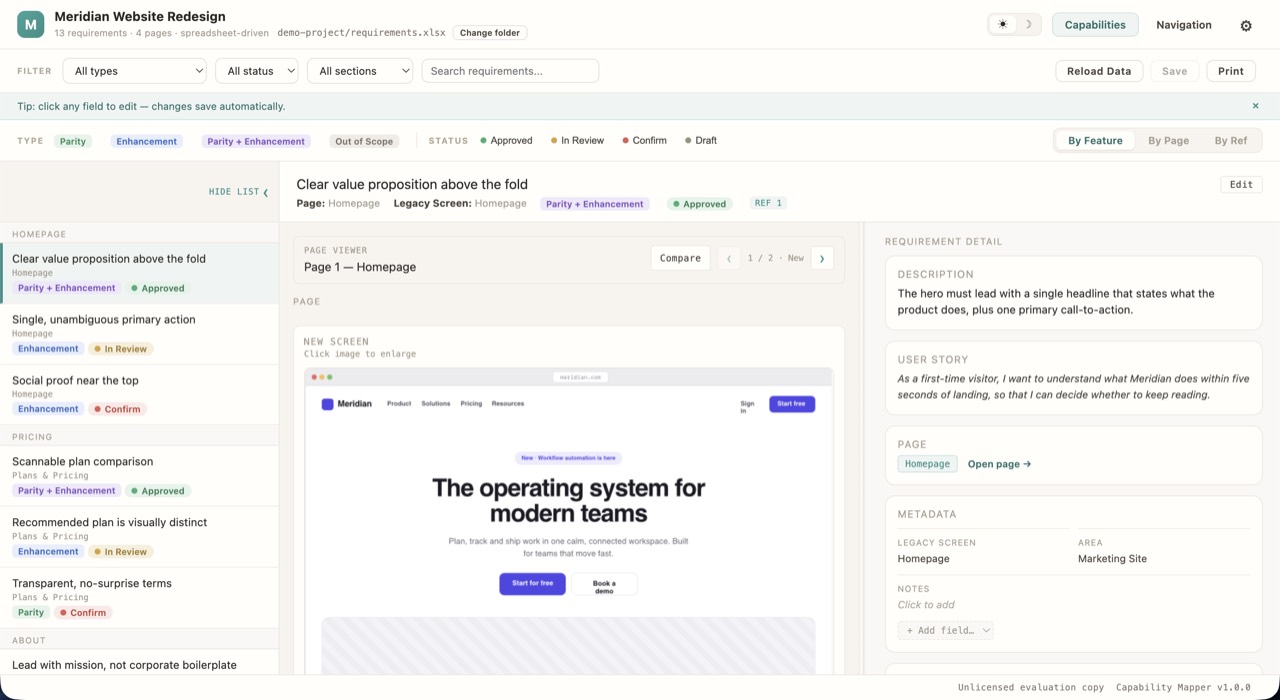
No accounts and no server, and a requirement still had to get from draft to approved where everyone could see it. Status is a single field with four states, one of which exists to say this is waiting on a decision. Every edit writes itself back to the spreadsheet.
Every requirement points back at the ask
Each one carries the reference of the business requirement it came from, and one of the three views regroups the whole list by it. When someone asks whether the requirements made it in, that’s a view rather than a promise.
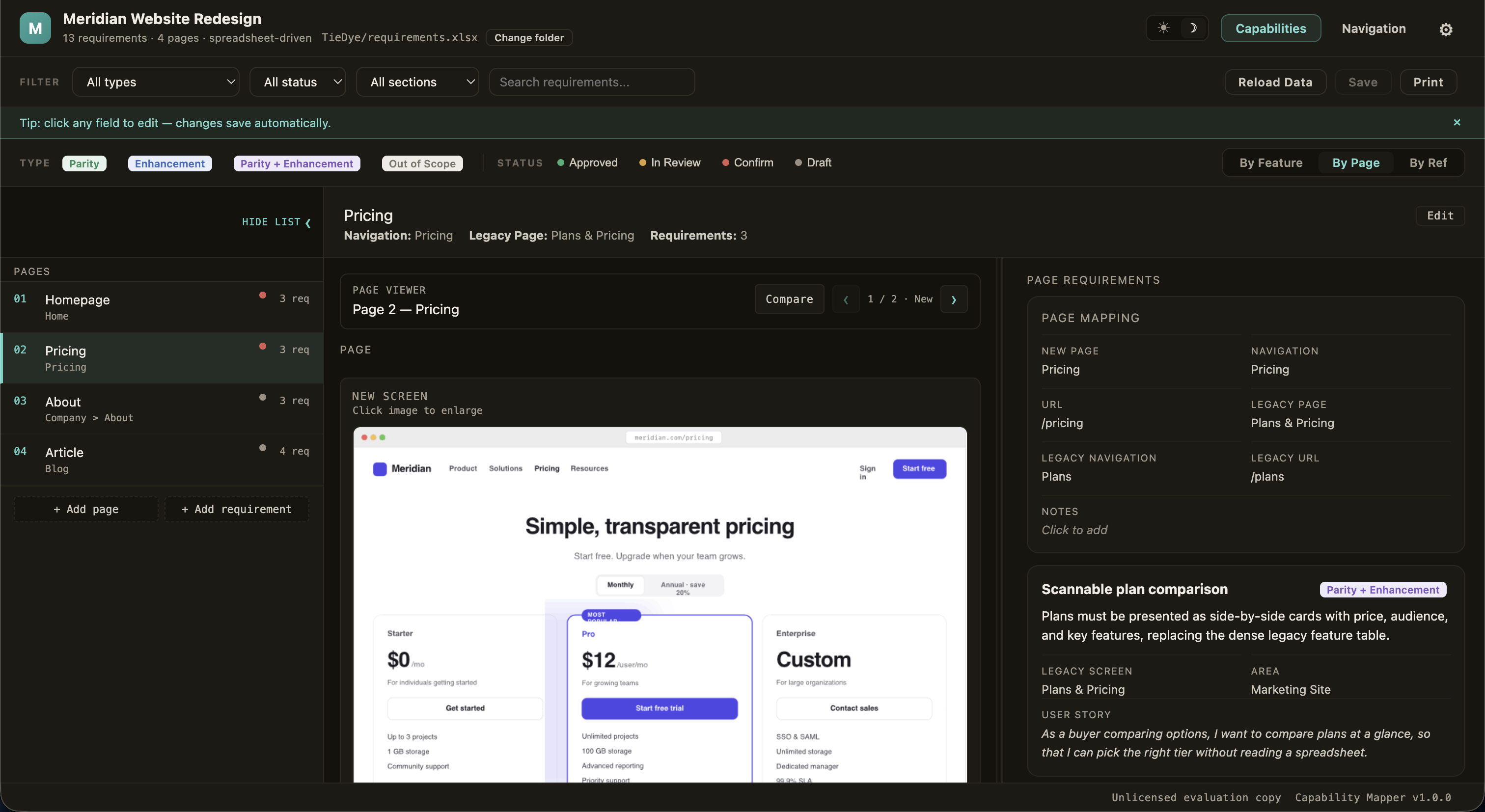
Put a requirement next to the screen it’s going to live on and people read it properly. Someone would go looking for the thing they do every day, not find it, and we’d have a requirement nobody had written down. Nobody was careless about it. You don’t think to specify what you’ve been using for years.
Plenty went the other direction too. A capability sitting there in plain language is much easier for the business to look at and retire. It gets classified out of scope and stays in the file with everything else, so the decision is still there when somebody asks about it in six months.
I flagged the requirements that needed an actual conversation, then worked through them in the room so the decision landed next to the requirement instead of in somebody’s inbox.
That scope went into the estimate. By the time we were modeling dates we were modeling something people had already argued about.
Emily, I really appreciate your innovative use of AI and the way you bring systems thinking into product development. It’s elevating how we approach problems and driving meaningful progress. Thank you for your leadership!
They were designing screens that didn’t exist yet against a system most of them had never used. The mapper gave them every requirement for a page in one place, sitting next to the page.
The mapper and Scope Modeler read the same requirements workbook. A capability gets mapped once and sized once, and there’s never a second copy of the truth to reconcile when scope moves.
Inside the product
scroll →